01.Exploring why existing break reminders fail people in deep focus
This project began with a recurring headache. Like many designers, I'd lose track of time in deep focus until eye strain set in, and passive reminders were easy to ignore.
The standard prevention is the 20-20-20 rule, yet digital reminders often fail. In the zone, my brain filtered notifications out until the strain was physical. A reminder has to be hard to ignore, but what makes it so also prevents adoption.
How might we use AI to support timely breaks for people in deep focus, so they protect their eye health and wellbeing while working with screens?
02.Setting three design requirements & testing an early build
To create a break reminder people wouldn't tune out, it had to cut through deep focus without feeling intrusive, so I set three design requirements from American Optometric Association guidance and HCI research and tested an early build with two potential users.
Design requirements
| Theory | Human behavior | Design requirement |
|---|---|---|
| 01 Digital eye strain | Deep focus makes screen time hard to track | Prompt a 20-20-20 break every 20 minutes |
| 02 Stimulus salience | Visual banners fade into the background during focused work | Pair voice with visuals to break through focus |
| 03 Perceived intrusiveness | Reminders that feel intrusive get turned off | Let people set tone and timing, and keep AI on-device |
Navigating the uncanny valley with voice AI
- V1's calm “Mindful” persona for breathing cues felt fake to users, likely due to the uncanny valley: an artificial voice trying to sound human feels off when it is almost, but not quite, human.
- I leaned into the absurdity of an artificial voice and used humor, and both users found it more comfortable and engaging.
03.Creating a Chrome extension that interrupts tunnel focus with a joke
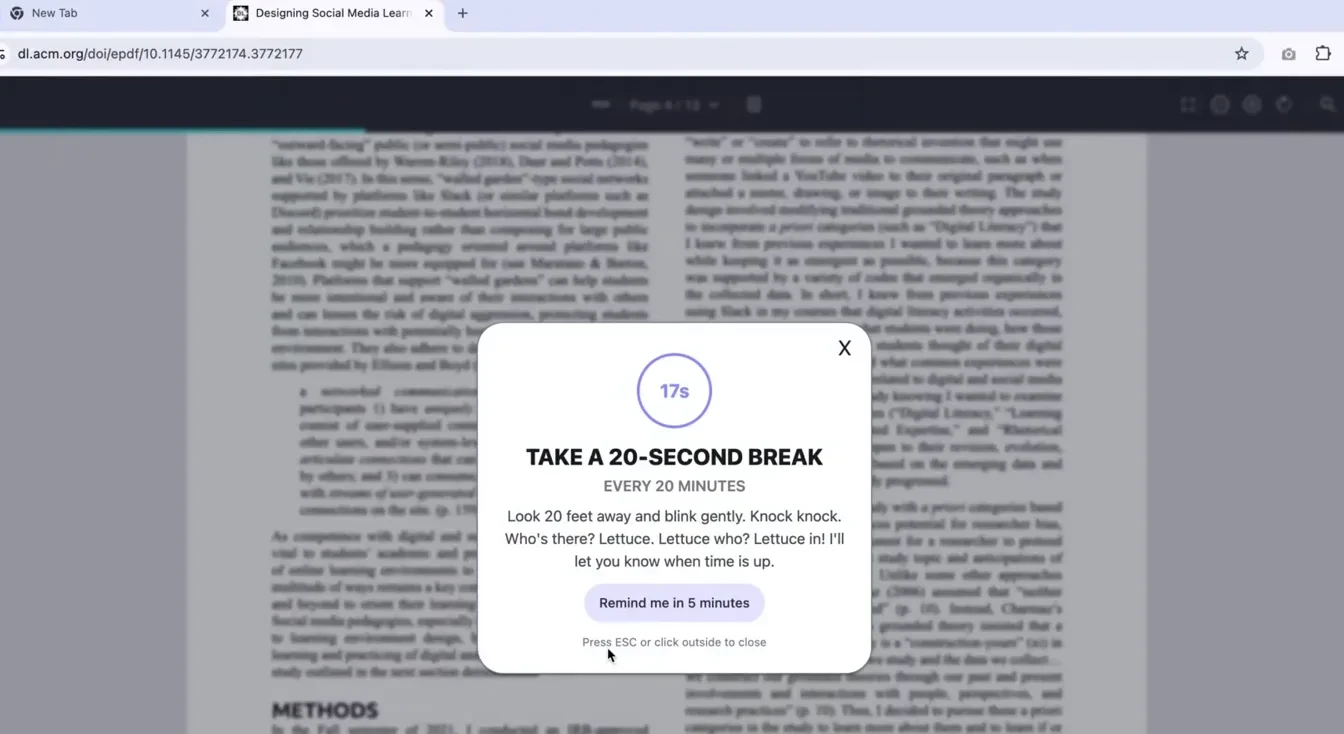
To support timely breaks while keeping people in control, I built a Chrome extension that interrupts tunnel focus with a spoken, AI-generated knock-knock joke and a visually salient UI.
Designing user controls for flexibility
04.Limitations of this design
User burden. Users must update their session windows if plans change. Forget before an unscheduled meeting and the reminder interrupts it.
No contextual fallback. If they forget to adjust the settings, the reminder still goes off during a live presentation or deep focus. The system doesn't understand what the person is doing at that time.
Tone mismatch. AI can't understand social cues. A robotic joke under pressure is irritating, so people may stop using it.